We are all aware that, in recent news, grocery prices continue to rise, and for many households, food expenses now account for a larger share of their monthly budgets than ever before. According to government data, U.S. consumers spend roughly 10 % of their disposable income on food, making groceries a major recurring household expense.
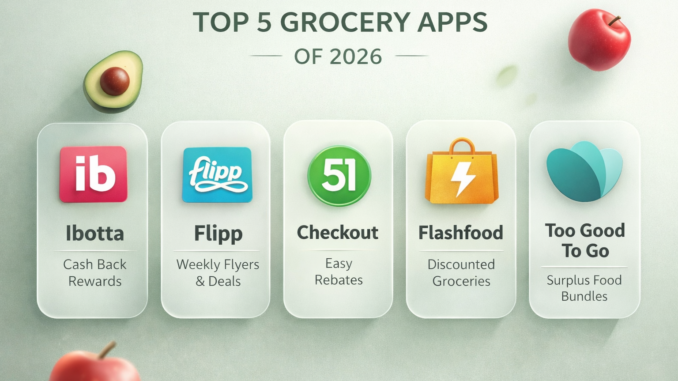
Budget grocery apps have evolved far beyond basic digital coupons. In 2026, the best grocery savings apps combine cashback, real-time price tracking, store flyers, surplus food deals, and loyalty integrations, all designed to help individuals spend less without changing where or how they shop.
In this guide, we will discuss the 5 best budget grocery apps of 2026, explaining how each one works, who it’s best suited for, and how to utilize them together for maximum savings.
Why Budget Grocery Apps Matter More in 2026?
Normal ways on how to save money on groceries relied heavily on paper coupons and weekly flyers. While those methods still exist, they are no longer efficient for most individuals. Budget grocery apps now automate savings by syncing with store loyalty programs, tracking purchases digitally, and alerting users to price drops or cashback opportunities.
In 2026, these apps matter because they:
- Reduce impulse spending through price transparency
- Reward everyday purchases instead of brand-specific coupon hunting
- Help shoppers compare prices across stores instantly
- Minimize food waste through discounted surplus inventory
For anyone who is budget-conscious, using even one grocery savings app can lead to noticeable monthly savings, whether you’re saving alone or as a family. Using two or three strategically can reduce grocery costs by 15–35% over time.
Quick recommendations:
-
Best overall savings: Ibotta
-
Best price planning tool: Flipp
-
Best deep discounts: Flashfood
-
Best simplicity: Checkout 51
-
Best sustainable savings: Too Good To Go
1. Ibotta: Best Overall Cashback Grocery App
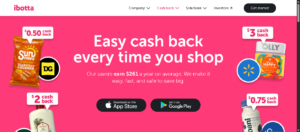
Ibotta remains one of the most powerful grocery savings apps available in 2026. It excels in cashback rewards that apply to both in-store and online grocery purchases.
How Ibotta Works
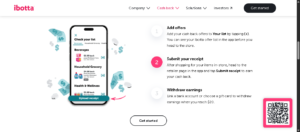
Users activate offers inside the app before shopping. After checkout, savings are applied automatically through linked loyalty accounts or by uploading a receipt. Cashback accumulates and can be withdrawn to PayPal, bank accounts, or gift cards.
Why Ibotta Stands Out in 2026
- Works with major grocery chains and online retailers
- Offers cashback on both brand-name and generic items
- Frequently stacks with store sales and coupons
- Includes bonuses for consistent shopping behavior
Unlike older coupon apps, Ibotta has expanded beyond packaged foods. In 2026, it includes cashback on fresh produce, pantry staples, beverages, and household items.
Pros
- Weekly grocery shoppers
- Families buying name-brand products
- Shoppers who want passive savings without clipping coupons
Cons
- Requires offer activation before shopping
- Cashback varies weekly depending on brand promotions
When used consistently, Ibotta is often the backbone of a strong grocery savings system.
2. Flipp: Best App for Weekly Grocery Deals & Flyers
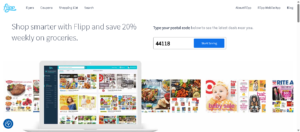
Flipp specializes in helping shoppers find the best prices before they step into a store. Rather than focusing on cashback, Flipp aggregates weekly store flyers into one searchable platform.
How Flipp Works
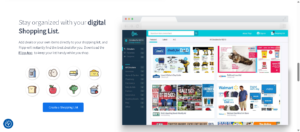
Users select nearby stores and browse digital flyers. Items can be searched directly, allowing instant price comparisons across multiple retailers. Deals can also be clipped and saved into a shopping list.
Why Flipp Is Essential in 2026
- Replaces paper flyers completely
- Makes price comparison fast and visual
- Highlights loss-leader deals stores use to attract shoppers
- Works especially well for fresh food and bulk items
Flipp is particularly useful for shoppers who plan meals around sales rather than brand loyalty.
Pros
- Price-conscious planners
- Shoppers comparing multiple grocery stores
- Households with flexible meal plans
Cons
- Does not provide direct cashback
- Savings depend on store participation
Flipp works best when used before shopping, while other apps reward spending after checkout.
3. Flashfood: Best App for Deep Grocery Discounts
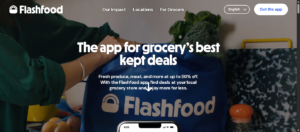
Flashfood takes a different approach to grocery savings by targeting food waste. Partnering with grocery stores, it sells surplus or near-expiration food at steep discounts.
How Flashfood Works
Users browse discounted items available at nearby stores and reserve them directly in the app. Purchases are picked up in-store from a designated Flashfood section.
Why Flashfood Is Powerful in 2026
- Discounts often range from 30% to 70%
- Excellent for meat, produce, dairy, and bakery items
- Reduces food waste while saving money
- Inventory updates daily
Flashfood is not about convenience; it’s about value. For people willing to be flexible, the savings can be substantial.
Pros
- Families with freezers
- Meal preppers
- Shoppers are comfortable with short expiration dates
Cons
- Availability varies by location
- Requires quick decision-making due to limited stock
Flashfood excels when paired with a traditional grocery app that covers weekly staples.
4. Checkout 51: Best for Simple, No-Frills Cashback
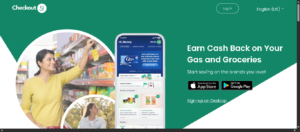
Checkout 51 focuses on simplicity. It offers weekly cashback deals that require minimal effort and no loyalty account linking.
How Checkout 51 Works
Users browse offers, shop as usual, upload a receipt, and receive cashback once minimum thresholds are met.
Why Checkout 51 Still Matters in 2026
- Easy to use for beginners
- No store account linking required
- Works across many grocery chains
- Predictable weekly offer refresh
While it may not offer the largest cashback amounts, Checkout 51 remains reliable and straightforward.
Pros
- Casual grocery shoppers
- Users who prefer manual receipt uploads
- People are combining multiple cashback apps
Cons
- Fewer offers than Ibotta
- Slower cashback accumulation
Checkout 51 is often used as a secondary app to stack savings rather than a standalone solution.
5. Too Good To Go: Best App for Budget-Friendly Food Rescue

Too Good To Go focuses on rescuing unsold food from grocery stores, bakeries, and markets by offering surprise bundles at discounted prices.
How Too Good To Go Works
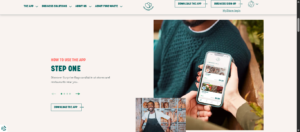
Users purchase a “surprise bag” at a set price and collect it during a designated pickup window. Contents vary depending on store inventory.
Why It’s Valuable in 2026
- Extremely low cost per item
- Encourages sustainable shopping
- Works well for baked goods and prepared foods
- Expanding grocery store participation
This app is less predictable but highly affordable.
Pros
- Budget-conscious individuals
- Flexible eaters
- Sustainability-focused shoppers
Cons
- No item selection
- Pickup times are fixed
Too Good To Go works best for supplemental food purchases rather than full grocery runs.
How to Combine Grocery Apps for Maximum Savings
The biggest savings rarely come from using just one app. Saving wisely is what separates casual savers from serious, budget-conscious individuals.
Example App Stacking Strategy
- Before shopping: Use Flipp to identify the cheapest store
- During shopping: Buy discounted Flashfood items if available
- After checkout: Upload receipts to Ibotta and Checkout 51
This particular approach allows individuals to benefit from store sales, deep discounts, and cashback simultaneously.
Common Mistakes to Avoid With Budget Grocery Apps
Even the best apps can lose effectiveness if used incorrectly.
Mistakes That Reduce Savings
- Forgetting to activate offers before shopping
- Buying items only because they have cashback
- Ignoring expiration dates on discounted food
- Relying on one app instead of combining tools
Budget grocery apps work best when they support intentional shopping habits rather than replace them.
Are Grocery Savings Apps Worth It in 2026?
For most individuals, the answer is yes. While individual savings per trip may seem small, consistency adds up. Over a year, regular app users can often save hundreds or even thousands on groceries.
The key is choosing apps that match shopping habits:
- Cashback apps for routine purchases
- Flyer apps for planning
- Surplus food apps for flexibility
Used together, these tools create a smarter, more controlled grocery budget.
Conclusion
There is no single “best” grocery savings app for everyone. The best option depends on shopping frequency, flexibility, and household needs. So make sure to find the one that fits your needs, and you will see how efficient and helpful they can really be to you.
FAQs
- What are budget grocery apps?
Budget grocery apps help shoppers save money through cashback, digital coupons, price comparison, and discounted food deals. - Are grocery savings apps free to use?
Yes, most grocery savings apps are free and only require activating offers or uploading receipts. - How do cashback grocery apps work?
Users activate offers, shop as usual, verify purchases, and receive cashback that can be withdrawn as cash or gift cards. - Can multiple grocery apps be used together?
Yes, many shoppers combine apps to stack savings from deals, cashback, and discounts. - Do grocery apps work at all stores?
Availability depends on the app and location, but most support major grocery chains.
Be the first to comment